Blog

  • Customizing My Website Theme

    Widgets

    Widgets are essential to our WP websites, and they can enhance them by adding extra features that allow our visitors a more welcoming and easier visit. Search, Header color, background, categories, and the Button are great ways of enhancing the website.

    Search

    Search allows our visitors a way to help explore older posts and look for specific posts without the hassle of having to scroll through endless pages and blogs in order to find something.

    Header color

    Header color is important because it gives distinction to headers in your WordPress Website and, of course, it gives the website color. You can see this as my header is yellow; notice how it is easily distinguishable as opposed to it being black and blending in with the other Headers and text on the screen? It also gives the website a different feeling than other websites as it can add to the overall theme or vibe of the web page.

    Background

    Choosing a background is essential to WordPress, as it allows us to enhance our websites by adding images or color to our websites to give our websites a new and refreshed vibe that helps match the theme of the website.

    Categories

    Categories help distinguish certain themes of posts or rather it organizes the topics of themes making posts easier to browse for those that want to read about a specific topic.

    Button

    The Button helps as it gives our headers a new and improved bold and distinguishable look. If you intend for something to stand out, the button helps to make that external link or header stand out.

    Customization On My Page

    I didn’t change too many things as I was unsure what to change; however, I changed the background and the font color on my headers to help them become more distinguishable. I also added a background image that was relevant to electric vehicle impact, as the air is impacted by EV’s too. I also thought that it would give it more color, and I also learned that you can use code to change these things too. Previewing them in the tablet and mobile editor shows me that everything was really cramped together as well, so it is time to tweak that too. I also installed the AMP plugin so that I can learn about the mobile navigation and experience.

    Benefit of Website Scheduling

    Not every website will be perfect, and some websites need to be tweaked for certain occasions, especially on holidays for businesses that specialize in merchandise and food. I also found that it helps to change my website so that I can prepare and test certain changes in my website, and it also gives me time to plan ahead for the days that there will be fewer or more visitors. It also helps to keep my posts and my blogs up to date and consistent with current events that are happening. New content will also come up, so it’s important to stay on top of that, and maintaining a website allows me to make it more organized for our new visitors.

  • My Website Theme

    Choosing a theme for our websites can come in handy especially because successful websites have eye-catching aspects of their websites that reel in their audience. Colors, typography, and the navigation of the website are important when displaying our content because they can give off a relaxing space for viewers, and they will organize our information clearly. I chose Twenty-Twenty Five for my theme because I thought it was more modern and more professional for my line of work.

    Where Can I Find Themes?

    The best way to accumulate themes is through these different resources:

    • WordPress Appearance Tab: Through WordPress, you are able to find multiple themes if you click on Appearance and then find the theme that you like. You have the ability to compare and preview designs, and you do not have to download anything. You can also find these themes for absolutely free, and they are sustainable.
    • Downloadable themes: If you go to WordPress.org, you are able to find downloadable themes that are secure and compatible with WordPress, and you can install the theme directly from the admin dashboard

    Downloading a theme

    I activated my theme through the WordPress Appearance; however, if you need to download the theme,

    Classic

    • style.CSS- This allows theme information, names, and version to be displayed, and CSS style rules are applied to style the website.
    • Index.php- This displays the content on the website and is the template

    Basic Block

    • style.css — Identifies theme custom CSS if it has any.
    • .templates/index.html — The fallback template that is used during WordPress block markup.

    My Decision Matrix

    Comparing all 3 themes was tricky because they were all really good, but one stood out simply because of past reviews and also the customization that allowed it to surpass the other themes. I chose to do it on price, sustainability, and whether the theme could be used on a mobile interface. They are important because they allow me to customize my website based on the purpose of my website, and mobile usage allows me to give mobile users a chance to visit my site without having to use other means of access.

    • Twenty Twenty-Five —The block theme with many different style variations and would look really good on portfolios and infomrational websites.
    • Astra — The most performance-focused and responsive design and had the most building tools on the theme.
    • Neve — Designed for websites and blogs but also has a history of being used in business.

    After comparing, I found that the most universal theme for any website is the Twenty Twenty-Five theme. I feel like with this, the layouts are super adaptable, and the variations make it practical when choosing what types of fonts, so I don’t have to stick to one font or style. The theme is also free through WordPress, so there was no download or file hassle to deal with. Likewise, I do not need to write all the code to adjust the theme and it was really easy to understand.

    Installing My Theme

    I used the WordPress dashboard to install my themes, and the way that you have to do that it by going to Appearance in your WordPress admin. Then navigate to Themes to add a new theme. Once you select your theme, press Activate to install your theme. Then you are able to customize it when you go back into Appearance and then hit Customize next to the theme of your choice. This way I do not have to download, manually update, and install my theme. Manual methods can break if you do not understand what you are doing, and finding things can be a hassle if you have a lot of things on your pc or unorganized files.

    Appearance → Themes → Add New Theme

  • My Website Security and Users

    Website security is essential to the WordPress admin because if we are attacked, we have sensitive information stored in our admin panels that is at risk of being used against us. Hackers can add harmful code and redirect users to unsafe websites which will look bad in our names. We can protect our websites through strong passwords. Passwords should be hard to guess and complex, with multiple letters and combinations of characters. That way, it is way more difficult for people to gain access to our websites. SSL’s also are very helpful because they encrypt connection between the website and visitors. SSL uses HTTPS, which is more secure as well. Security plugins as well also provide great protection, and I am using Wordfence Security, which can be found in WordPress plugins. Wordfence is great because when something needs attention, it can block suspicious visitors and protect the website from common attacks, adding additional protective layers.

    Users

    I would assign different roles depending on the job that the person needs to execute. Obviously, granting access and full access to everyone is not optimal because the risk of security is quite high, and giving everyone some sort of administration also causes imbalances in power and imbalances in what players can do. Giving administrator to someone would be someone that I would trust with the well-being of my website. An editor would be able to edit and publish different posts, but this role would not be as important as an administrator since they lack certain abilities that administrators have. Authors would be able to write and publish as well, and I would use this for those who contribute regularly to their articles or blog posts. Lastly, subscribers would have the most limited access, as they should not be accessing my website if I do not have any prior knowledge of them or have spoken to them before. Trusting strangers with my website is not safe.

  • Why Is Web Accessibility Important?

    In order to accommodate those with disabilities, it is important that EVERY website have some sort of feature that adheres to the majority of accessibility features that are available at the website admins disposal. In this way, a larger range of people have the ability to retain information and access it, allowing for our content to spread even further.

    What is Web Accessibility?

    In order for websites to be accessible to those with disabilities, accessibility is applied to the website, allowing the user to change the way the website looks or access content in different ways. Whether it is through closed captions, magnification or even voice control, these are all very common examples of how we can make our websites more accessible to those with disabilities and also cater to those who may use different types of input, such as keyboards and mice, to view our websites.

    Types of Accessibility

    • Alternative text- Allows for images to be communicated
    • Captions and transcripts- Provided for videos and resources for those who are deaf and understand spoken dialogue rather than sound
    • Contrast- Allows for those who can not distinguish color a better approach to text and content in websites.

    Why does Accessibility Matter?

    It matters because the internet is part of our life as well, and everyone should be able to access the internet. Due ot the fact that websites at one point were not able to do this, now it is almost a must, and in some parts of the world it is mandatory to include some sort of accessibility in websites. Website admins need to consider accessibility, as it is important for employment, government services, and communication, as well as entertainment and other services online.

  • Blast Off with Jetpack!

    Jetpack may be a bit confusing at first, but in short, it’s a collection of tools that allows the administrator to manage security, website statistics, file sharing, and site performance. This way, our websites stay healthy and safe from any threats. It is worth mentioning that it is interesting that Jetpack offers modular layouts, and it’s important when admins need to tweak specific things on their websites instead of every feature being equal.

    Jetpack Stats

    Jetpack Stats is a great way that you can monitor your website’s statistics and lets you view trends on how your viewers interact with your website based on content within your website and how you set it up. As a site owner, it’s important to note that different types of content appeal to others, but there is a standard as to which ones will stand out from website to website. If one post receives more views than another, it would be helpful to understand which one actually was the one that had the views so that, in future posts, you are able to emulate that type of posts with the changes that you added based on how the older website performed.

    Jetpack Social

    Jetpack Social is a way that allows WordPress content to be shared between the visitors of the website and the owner of the website. It’s helpful when a new post doesn’t mean that everyone who might be interested will see it anyway. New articles are promoted through the connected platform, and that saves time by not having to paste a new blog post or article into different media accounts.

    Jetpack Protect

    Jetpack Protect is awesome because of built-in protection and other tools that aid in our website’s security. Even if the website is not selling anything, it can still be a victim of cyberattacks, and it’s important to make sure that our site visitors are protected, as well as the owner of the website, so that no malware is found and we are protected from future threats.

  • External Storage and File Sharing

    There are different types of external storage and file sharing services that allow content to be displayed on websites and also allow other resources to be found on your website. It is important to note that putting everything on the host’s server can really take up storage as well.

    1. Google Drive

    Drive is great because it is easily connectable to WordPress’ admin panel, and it’s the most universally recognizable storage service that allows images and videos to be shown on my website.

    Pros

    • Easy organization
    • Quick sharing and easy file sharing
    • Works with other Google services (Docs, Sheets, analytics)
    • Reduces the need to store files in WordPress

    Cons

    • Some things require more plugins
    • Permissions need to be granted carefully
    • May require paid versions of integrations

    2. Dropbox

    Dropbox is a great eay to send files to your FTP to your website, and it is also compatible with WordPress. WordPress connects to Dropbox and allows files to be embedded, uploaded, and shared, which is great when you have lots of files of content that need to be organized.

    Pros

    • Shares files easy
    • Reduces storage used from WordPress host account
    • Useful when organization is needed for a large number of files

    Cons

    • You need an account
    • Some plugins require a paid version
    • WP integration needs a third-party plugin
    • May need FTP to transfer files

    3. OneDrive

    Microsoft OneDrive is one of the most recognizable means of cloud storage and is used by many institutions and colleges. It’s a great alternative to Drive and is familiar to those that regularly use 365 and 365 services.

    Pros

    • Useful when submitting docx. pptx. files to your website
    • Compatibility with WordPress, allowing you to send Excel sheets and PowerPoints
    • Great for those familiar with 365 services

    Cons

    • You can not convert documents within the service
    • You may need to pay for some Office services in order to get all service options
    • A Microsoft account is needed to configure everything
  • What I’ve Learned About Plugins

    Plugins are a useful resource when building your website and allow different functions to be used in real time, but it is also important that these plugins are safe and used for the right purpose.

    Why Do Safe Plugins Matter?

    Safe plugins matter, and firsthand, I have learned that there are some plugins that should never be installed simply because they are popular or because they offer a feature that I would like. Plugins can become intrusions to websites if they affect our website’s security and performance. It is also important to make sure information on that website is stored securely.

    I’d ask yourself these questions:

    • When was the last time you updated the plugin?
    • Is your plugin compatible with WordPress or your choice of blog editor?
    • What have other people said in the ratings of the product?
    • Is there accessible information on the product if I am stuck?

    Ways to find alternative WordPress plugins:

    • Make sure the plugin has some sort of community recognition or rep
    • Recommendations from WordPress
    • Recommendations from college or from your professor
    • Recommended and supported plugins from hosting providers
    • Recommendations from videos or other blog posts

    The plugin I selected for my choice of plugin was the Elementor plugin. This plugin was popular and a great way to organize and style my website, and I felt that it was necessary to get because this plugin is almost a given in every tutorial I watched to stay up to date with WordPress’ basic functions, and it took it to an entirely new level, expanding beyond the basic style. I also like it because it doesn’t require me to write out all of my CSS or HTML stuff that I am already doing in another class, so it’s convenient. Beaver Builder looked really nice too, but Elementor’s visual editor was a bit more up to date, and there were multiple ways I could look up how to use it. Elementor adds custom layouts to my website, images and other widgets and also spacing and aligning controls so I can change it, as well was further styling samples and designs that WordPress doesn’t offer. Having Elementor makes my life a bit more full, and it allows me to experiment with different layouts and organization.

  • EVs’ Impact On the Power Grid

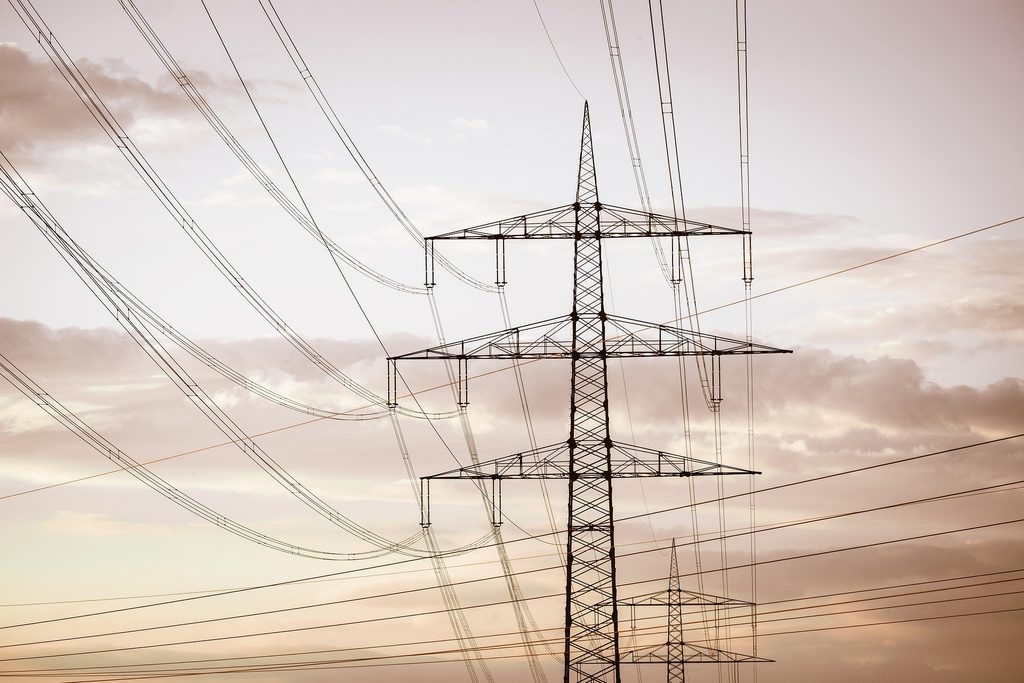
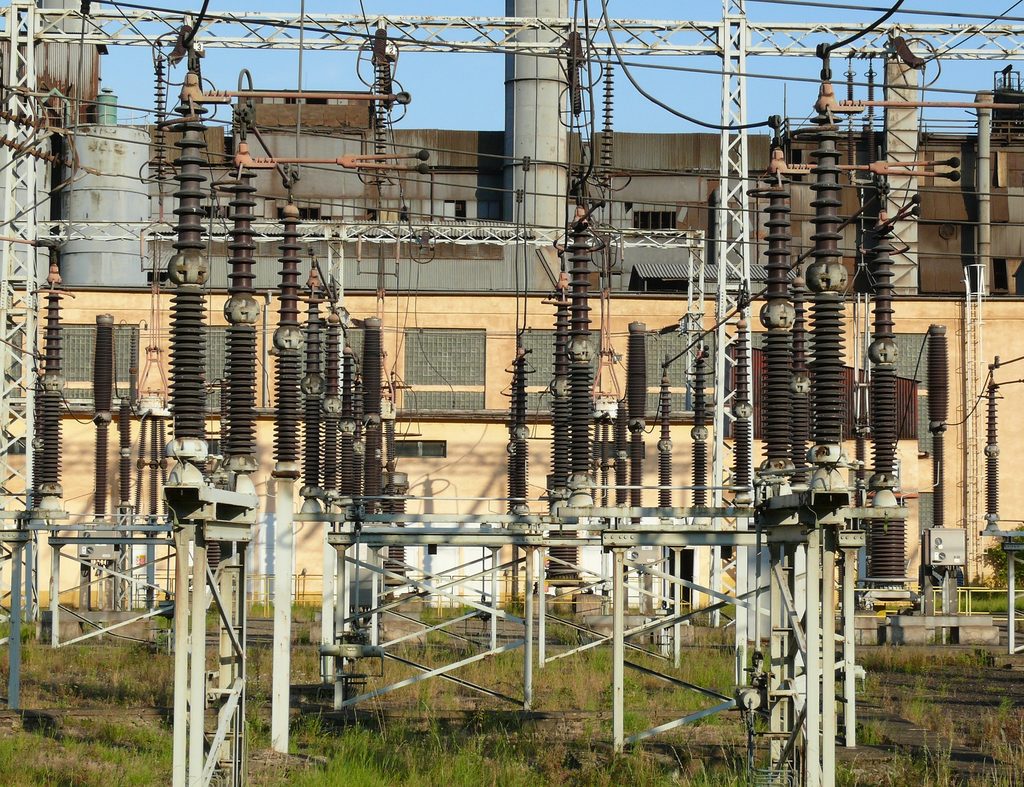
    Electrical station and power equipment.
    Image by OtoZapletal from Pixabay

    Today, EVs are still a very large part of our convenience in terms of travel and transportation services; however, it is important to consider that they also impact us even when the vehicle is not being driven. As the changeover to EVs continues to rise, it is important to understand where that energy is needed and when it becomes disposable.

    Influence of EV Charging Stations

    Unlike our normal and standard gas stations that are most common today, electric vehicles source their energy from electric charging stations. In turn, with every single electric vehicle added to the road, that same electric vehicle is added to the electrical grid and creates an additional demand for electrical energy. According to a study done by Gahlaut et al. (2026), the impact of EVs charging our world is that they are different from standard charging stations because their vehicles charge in different locations at different times of the day. This makes sense because someone might need to charge their EV overnight at home versus someone also charging their EV in broad daylight during work. In fact, large groups of EVs charging at the same time at once also create a greater demand for electrical energy at that single time. The study by RMI also states that in residential areas, charging EV’s also adds demand for electrical energy in the same way that large appliances require electrical energy, whereas electrical charging for EV trucks requires much more power (Gahlaut et al., 2026).

    Image by Couleur from Pixabay

    Does Charge Make a Difference?

    The amount of energy that is needed to charge an EV is only one part of the difference that it makes whether it is good or bad. RMI states again that this adds to the consumers’ utilities, and it also means that charging an EV at one time of the day may affect the grid differently than charging it at night (Gahlaut et al., 2026). Another question to ask is: can this demand be shifted into one area or to another time? Planning for more EVs is still in development, and utilities are still planning on shifting their focus to what specific areas are high in terms of future electricity demand. That being said, it is certain that a lot of utilities and resources would have to be shifted in order to accommodate future trends in electrical energy.

    What Does Our Future Look Like?

    Image by anncapictures from Pixabay

    “Ultimately, the goal of improved EV load forecasting is not a single, precise outcome, but enabling better decision-making under uncertainty.” (Gahlaut et al., 2026, “What does ‘good’ EV load forecasting look like?” section, para. 7)

    The demand for EVs will require changes in how we distribute our electrical energy and how it is managed. In order to do this, it is important that there are systems to forecast our energy usage and identify areas where there is a need for electrical energy. Not all cities are the same, and not everyone will have the same travel needs. Overall, as the quote suggests, there will be an impact that will extend beyond the mere expectations of the vehicle itself, and in order to sustain our economy and our resources, it’s important to prepare the electrical grid for the important parts of our future.

    References

    Gahlaut, A., Lindsell, H., Pesta, N., & Shapiro, B. (2026, May 29). Understanding the grid impacts of electric vehicle adoption. RMI. https://rmi.org/resources/understanding-the-grid-impacts-of-electric-vehicle-adoption/

  • What I Learned About Categories and Tags

    There are differences between tags and categories and how we use them in WordPress. To start, Tags are often considered very specific attributes here on WordPress that describe specific and individual topics within a post. Whereas a Category is used to organize posts into different sections of posts or topics. This way, as opposed to a tag, bloggers’ posts are organized into larger groups of posts. Both tags and categories are important when using wordpress and, allowing editors to critique your post and making your post more appealing to those that have interest in your blog.

    I plan to use tags and categories to help spread awareness of specific situations but also to separate my studies from other bloggers. Categories will help when I apply the main or general idea of my blog and broader concepts within my post. One way I thought of putting this into action was that I could use different categories to help distinguish EV vehicles and combustion engines. Tags will also aid my viewers in searching for very specific and catered subjects that pique their interest. Whether they are into cars in general or into batteries, and also spreading awareness of pollution and sustainability, my posts must be organized. This way, it is easier for other bloggers and my viewers to find specific and relevant information.

    Both tags and categories allow us to use WordPress in a way that allows for information to be found conveniently and helped me organize my website from others and especially centers it around the topic of EVs and their environmental impact here on planet Earth.

  • Do EV’s Actually Help Us Improve the State of the Environment?

    Generally speaking, electric vehicles are considered healthy alternatives to the combustion engine simply because they do not emit any emissions into our environment during use. However, it is not all that simple. The electric vehicle is actually quite complex, and some emissions go along with it, just not when you are driving for the most part. The biggest thing here is that tailpipe emissions are completely eliminated, and this would be beneficial in areas where air pollution is poor or there is heavy traffic. Inevitably, the fewer gasoline-powered vehicles, the fewer emissions.

    Image by viarami from Pixabay

    Once again, Electric vehicles are still complex and still have an impact. Not only do they come with state-of-the-art and innovated artifical inteligence designs, but the way that they are made also needs to be taken into account. Their batteries are generally made up of lithium and other minerals that generally take large amounts of energy to process. That being said, the production of the EV battery alone also has an impact on our environment overall.

    Ethically speaking, the way that energy is also sourced is quite concerning as well. As we shift out of the gasoline age, the focus on production of EV’s is very well associated with the mining of fossil fuels, which is a great contributor to global warming. Renewable energy sources can have a different impact than most people expect, and once again, fossil fuels still power our machines. This is what makes the study of electric vehicles so interesting because, while there are long-lasting beneficial effects, the ethics of these processes are also ethically concerning.

    Whether someone is looking at the way someone is creating the battery or how they are planning to implement sourcing for these cars, it is important to examine both ends of the stick. There are disadvantages and advantages to the use of EV’s. The thing that someone can learn from this is that while electric vehicles are solid as a concept, that doesn’t mean there’s room for flaws and room for improvement.